
Friends, do you want your business profile to rank on Google’s number one position? If your answer is “yes,” then you’re in the right place! In this article, I’ll share my own experience of continuously ranking my business on Google’s top position for the past 5 years using Google My Business (GMB). Based on my personal experience, I’ll reveal five crucial tips that can help you rank your business on Google as well. So, if you’re serious about getting your business to the top, make sure to read this entire guide.
I’ve been consistently ranking my business at the top of search results, and today, I’m sharing the proven strategies that helped me achieve this success. These tips will help you rank in the top positions in your industry or local segment. By following these steps, you too can dominate search results for your business profile.
How to Add Your Business to Google and Rank It Effectively
Step 1: Proving Success — Real-Life Example
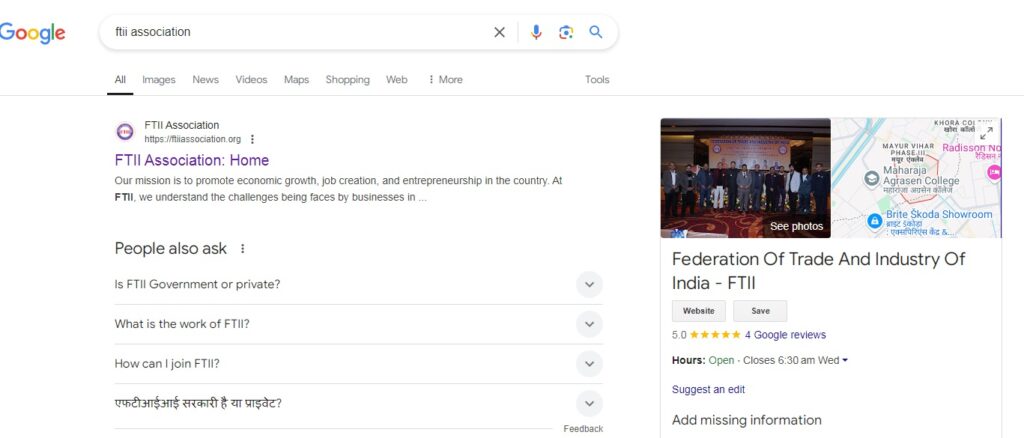
Let’s start with some live proof to show you that these tips actually work. I will demonstrate how my business ranks for multiple locations on Google. Here’s how I do it:
- Open an Incognito Window: Open Google in an incognito window to avoid personalized search results.
- Search for Your Business Keywords: In the search bar, I type specific keywords relevant to my business, for example, “Wedding card designer in Mumbai.”
- See the Results: As you can see, my business ranks at the top of the search results despite competitors having more reviews or ratings.
I’ve consistently ranked first for multiple locations — Mumbai, Chennai, and even smaller cities. This clearly shows the effectiveness of the strategies I’ll be teaching you today. Now, let’s move on to the tips!
5 Proven Tips to Rank Your Business on Google
I’m going to break down the process into five essential tips that have worked for me. Let’s dive right in!
1. Complete Your Google Business Profile Thoroughly
The first and most important tip is to completely fill out your Google My Business profile. Many business owners create a Google My Business profile but fail to provide detailed information. Incomplete profiles are unlikely to rank well on Google.
Here’s what you need to do:
- Business Name: Include relevant keywords or categories in your business name. For example, instead of just “Warda,” I use “Warda Wedding Cards and Invitations.” This helps Google understand exactly what my business is about.
- Business Category: Choose the right category for your business. Google uses this to classify your business and show it to the right audience.
- Address: Make sure your business address is correct and consistent across all platforms — Google, Facebook, Instagram, and your website. Any inconsistency in the address can harm your ranking.
- Service Areas: Add all the areas where you provide your services. This helps Google show your business to users in your service area.
- Working Hours: Add your working hours for both offline and online services. Also, update this regularly if your working hours change.
- Phone Number: Add a phone number where customers can reach you directly.
- Website and Appointment Link: Include a link to your website and online appointment system if available.
- Business Description: Add a clear, concise description of your business. Include keywords that users may search for.
The more complete your profile, the more likely Google is to trust your business and rank it higher. Completing all sections of the profile is crucial for success.
2. Post Frequently on Google My Business
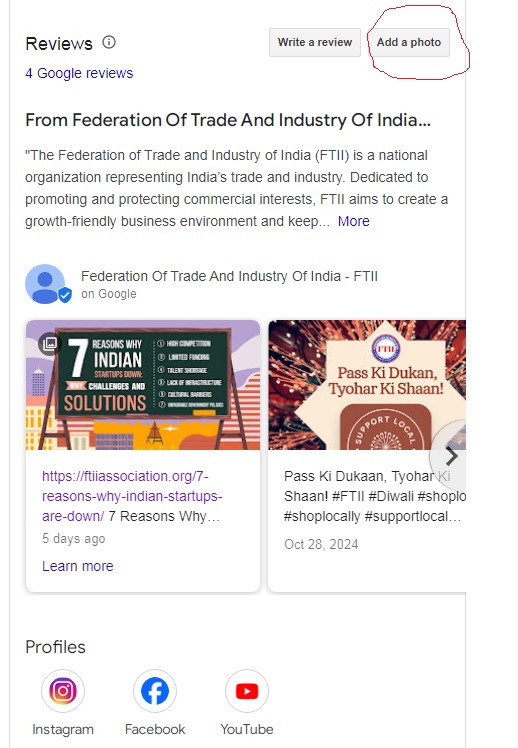
The second key tip is to post frequently on your Google My Business profile. Many businesses neglect this, thinking they only need a profile to rank. But Google loves active profiles. Just like social media platforms, posting regularly on Google can help you stay relevant.
Here’s what you should post:
- Promotions and Offers: Share any special promotions, offers, or discounts you’re running. This keeps your profile fresh and encourages users to engage with your business.
- New Products and Services: Whenever you launch a new product or service, post about it.
- Events: If you’re hosting or participating in an event, make sure to post about it.
- Customer Testimonials: Share positive reviews and testimonials from your customers to build trust with potential clients.
You can upload photos, write posts, and even add a call to action like “Call Now” or “Learn More” in your posts. Regularly posting on your Google My Business profile sends a message to Google that your business is active and engaged, which helps improve your rankings.
3. Get More Reviews and Respond to Them

Reviews are one of the most important factors for ranking on Google. A profile with good reviews consistently ranks higher than one with little or no reviews. Aim to get positive reviews from your satisfied customers and make sure to respond to them.
Here’s how to manage reviews effectively:
- Request Reviews: Politely ask your satisfied customers to leave a review. You can also provide them with an easy link to leave a review.
- Respond to Reviews: Whether the review is positive or negative, always respond politely and professionally. Google notices this engagement and it can help your ranking.
- Avoid Fake Reviews: Never attempt to post fake reviews. Always get genuine reviews from real customers.
- Use Keywords in Reviews: If possible, guide your clients to include specific keywords in their reviews that reflect your services. For example, if you offer wedding cards, encourage clients to mention that in their review.
Positive reviews build trust and credibility with potential customers. Google values reviews as they are a strong indicator of a business’s reliability. Responding to reviews shows Google that you care about customer feedback and helps your business rank higher.
4. Upload High-Quality Photos and Videos Regularly
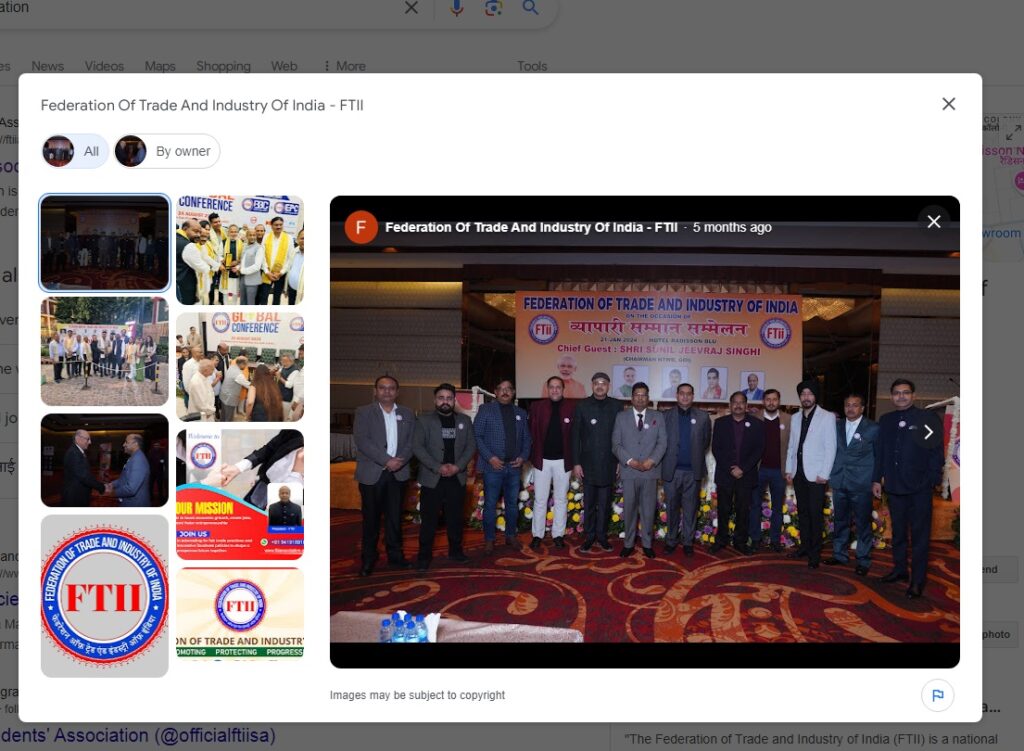
The fourth tip is to upload high-quality photos and videos to your Google My Business profile. Photos are a powerful way to engage potential customers and help them make decisions. Google also gives preference to businesses with more photos.
Here’s what you can upload:
- Business Interior and Exterior: Share pictures of your store, office, or workspace. Customers want to see where your business operates.
- Products and Services: Upload high-quality photos of the products or services you offer. Make sure they are visually appealing and clear.
- Team and Events: Show your team in action or share photos from events you’ve hosted or attended. This gives a human touch to your business profile.
- Customer Interactions: If possible, share photos of happy customers using your products or services.
Google considers businesses with more and better-quality images to be more trustworthy and relevant. Uploading regular photos also signals to Google that your business is active and engaged, which can improve your rankings.
5. Keep Your Products and Services Updated
Lastly, make sure to regularly update the list of products and services you offer. This shows Google that your business is actively growing and adapting. It also makes it easier for potential customers to understand what you offer.
Here’s what you should do:
- Add Products and Services: If you offer specific products or services, make sure to add them to your profile with a description and images if possible.
- Update Prices and Descriptions: Regularly update product prices, service offerings, and descriptions.
- Showcase Special Offers: If you have any ongoing discounts, promotions, or special offers, make sure they are visible in the “Products” section.
This also helps customers find exactly what they’re looking for and makes your profile more attractive.
Conclusion
To sum it up, here are the five key steps to rank your business on Google:
- Complete Your Google Business Profile: Fill out all sections with accurate and detailed information.
- Post Regularly: Keep your profile active by posting promotions, updates, and news.
- Collect and Respond to Reviews: Encourage happy customers to leave reviews, and always respond to them.
- Upload High-Quality Photos and Videos: Regularly post clear and appealing photos of your business, products, and services.
- Update Products and Services: Keep your product and service listings up-to-date and relevant.
By consistently following these five tips, you’ll significantly improve your chances of ranking at the top on Google, driving more visibility, and attracting more customers to your business.